Surface Laptop 8 Enters the Snapdragon X2 Era
 Vortixel
18 minutes read
Vortixel
18 minutes read
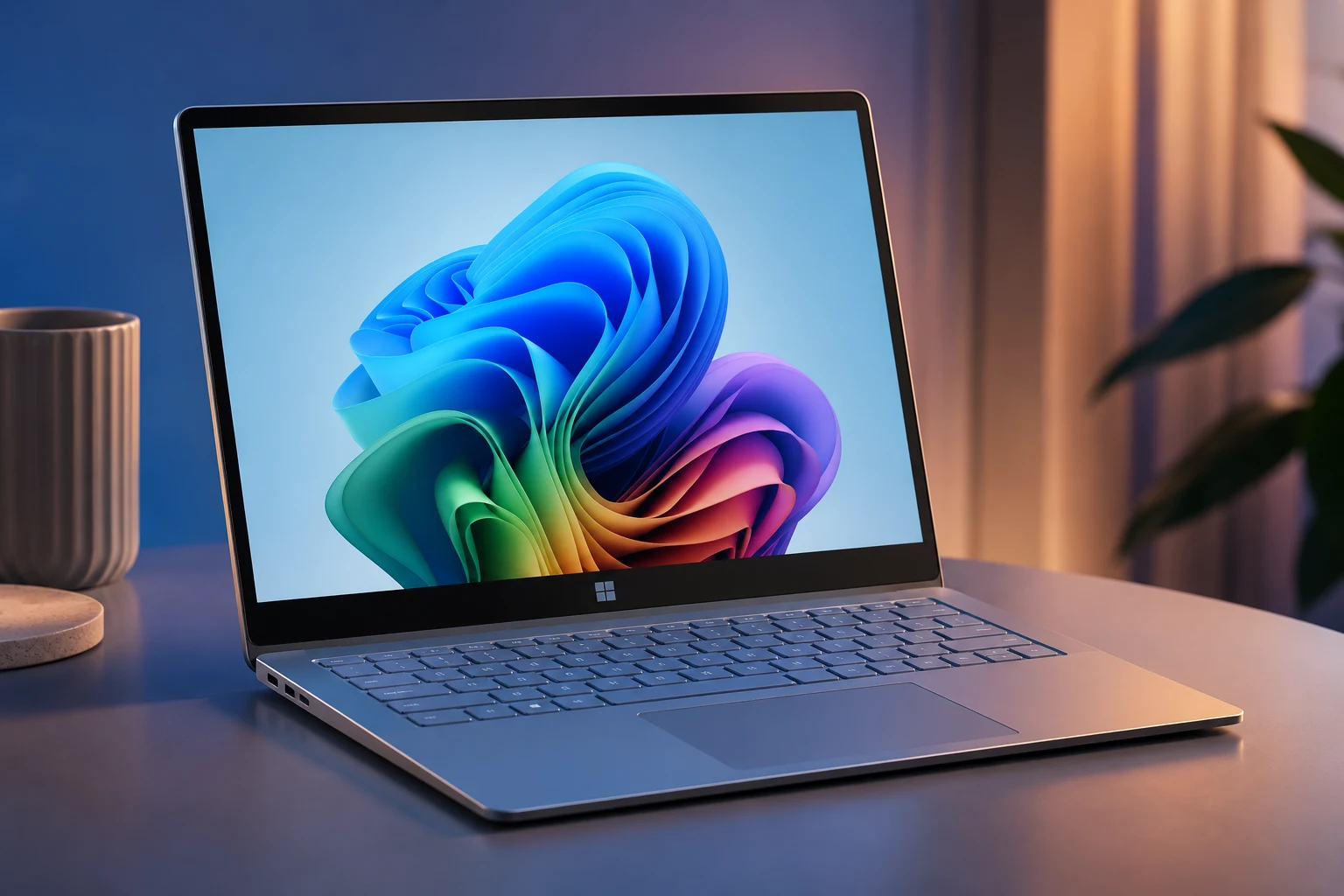
The Surface Laptop 8 is stepping into a new chapter, and this time the story is less about a dramatic redesign and more about what happens when Microsoft doubles down on Arm-powered computing. With Qualcomm’s new Snapdragon X2 processors now at the center of the premium Surface Laptop lineup, Microsoft is clearly trying to prove that Windows laptops can feel more like modern mobile devices without giving up the productivity DNA people expect from a full PC. The pitch is familiar but sharper: longer battery life, stronger AI performance, better graphics, and a laptop that feels ready for the next wave of Copilot-driven features. For a device family that has always leaned on clean design and premium polish, the real question is whether the chip upgrade is enough to make the Surface Laptop 8 feel fresh. That question matters because the laptop market in 2026 is no longer just about thin bezels, bright screens, or fast charging; it is about whether your computer can keep up with an AI-first workflow without making you babysit the battery icon.
Microsoft’s Surface line has always had a certain personality, even when the hardware changes were subtle. It is the laptop equivalent of someone who shows up in a minimalist outfit, says very little, and still somehow gets attention because everything looks intentional. The Surface Laptop 8 with Snapdragon X2 follows that same energy, but underneath the quiet exterior is a more serious shift in platform strategy. Microsoft is not just releasing another annual refresh; it is pushing harder into the idea that Windows on Arm is no longer an experiment for early adopters. That makes this launch interesting for anyone following Surface Laptop 8, because it sits right at the intersection of premium gadget design, AI acceleration, battery efficiency, and the ongoing battle to make Windows feel lighter, faster, and more future-proof.
Why the Surface Laptop 8 Matters Right Now
The timing of the Surface Laptop 8 matters because laptops are going through one of their biggest identity shifts in years. For a long time, buying a laptop was mostly about choosing between performance, portability, and price, with battery life sitting somewhere in the background as a nice bonus. Now the conversation has changed, especially as AI tools move from browser tabs into operating systems, creative apps, coding environments, and everyday search. A laptop is no longer just a machine that opens documents and runs Chrome; it is becoming a local AI device that needs dedicated neural processing, efficient silicon, and enough memory to handle heavier workloads without constantly leaning on the cloud. That is where the Snapdragon X2 story becomes more than a spec-sheet upgrade, because it gives Microsoft a chance to position Surface as a device built for the next phase of personal computing.
The Snapdragon X2 upgrade also arrives at a time when buyers are getting more selective. People want premium hardware, but they are also more skeptical of small updates dressed up as major breakthroughs. The Surface Laptop 8 has to walk that line carefully because its design language is already familiar, and many users will not see a massive visual difference at first glance. Microsoft is betting that the deeper improvements, especially in AI performance, graphics, and battery life, will carry the story. In a market where MacBooks have become the default recommendation for many creators and students, Surface needs more than elegance; it needs a clear reason for people to believe Windows laptops are catching up in efficiency and everyday smoothness.
Surface Laptop 8 and the Snapdragon X2 Shift
The biggest update inside the Surface Laptop 8 is the move to Qualcomm’s newer Snapdragon X2 Plus and Snapdragon X2 Elite chips, depending on configuration. These processors are designed for the Copilot Plus PC era, with a stronger neural processing unit built to handle AI tasks locally rather than sending every request to a remote server. Microsoft says the new Surface Laptop models are built around faster graphics, improved sustained performance, and battery life that can stretch through long workdays. The 13.8-inch and 15-inch versions keep the premium laptop feel Surface users expect, while the smaller 13-inch model remains a more affordable entry point with a lower-tier Snapdragon option. In plain English, the Surface Laptop 8 is not trying to shock people with a new shape; it is trying to make the Windows laptop experience feel more efficient, responsive, and AI-ready from the inside out.
This internal-first upgrade says a lot about where the gadget industry is heading. For years, laptop brands sold users on thinner bodies, sharper screens, and louder performance claims, but the AI PC era is shifting attention toward specialized compute. The Snapdragon X2 platform gives Microsoft a stronger foundation for features like real-time transcription, image generation assistance, smarter search, background blur, recall-style productivity tools, and other local AI experiences that are likely to become more common across Windows. That does not mean every user will instantly notice the NPU during a normal day of writing emails and watching videos. It does mean that the Surface Laptop 8 is being built for software features that may become much more important over the next few years.
A Familiar Design With a More Serious Engine
From the outside, the Surface Laptop 8 still carries the same premium Surface attitude: clean lines, a professional look, a tall productivity-friendly display, and a keyboard experience that has long been one of Microsoft’s quiet strengths. This is not the kind of laptop refresh that screams for attention across a store shelf, and that may disappoint people hoping for a dramatic redesign. But Surface has never really been about chaotic design swings; it has been about controlled refinement. The 13.8-inch and 15-inch models continue to target users who want a polished Windows laptop for work, school, creative projects, and general daily use. The difference is that the engine underneath now feels more aligned with where Microsoft wants Windows to go next.
The display story is also important because Surface laptops have always leaned into a taller aspect ratio that feels better for productivity than a traditional widescreen layout. A taller screen gives users more vertical space for documents, code, timelines, spreadsheets, and browser-based workflows, which matters more than it sounds when you spend hours inside a laptop every day. The Surface Laptop 8 keeps that productivity-first approach while layering in newer display and touchpad refinements on select models. Microsoft’s premium models also continue to offer higher-end options that make the laptop feel more like a proper flagship than a basic refresh. Still, the design conversation will probably be split, because some buyers will appreciate the mature look while others will wish Microsoft had taken a bigger visual risk.
Performance Is the Real Headline
The headline feature of the Surface Laptop 8 with Snapdragon X2 is performance, especially in the context of efficiency. Snapdragon-powered Windows laptops made a lot of noise during the first Copilot Plus PC wave, but they also had to deal with the classic challenge of any platform transition: not every app was equally optimized, and some users were unsure whether Arm-based Windows was ready for their daily setup. With Snapdragon X2, Microsoft and Qualcomm are trying to move the conversation forward from potential to practical confidence. The promise is not just that the laptop can run fast in short bursts, but that it can stay responsive across a full day without heating up aggressively or draining the battery too quickly. That matters for students, remote workers, journalists, developers, and creators who increasingly work from coffee shops, airports, classrooms, and shared spaces instead of fixed desks.
The graphics improvement is another part of the story that should not be ignored. Surface Laptops have never been gaming-first machines, but stronger integrated graphics can make a difference in creative apps, casual gaming, media editing, browser rendering, and AI-enhanced visual workflows. A faster GPU also helps make the whole system feel smoother when moving between demanding apps or driving external displays. This does not suddenly turn the Surface Laptop 8 into a gaming laptop, and buyers should not treat it like one. But for a premium thin-and-light device, stronger graphics performance gives the machine more breathing room, especially as everyday software becomes more visual and AI-assisted.
The AI PC Angle Is Bigger Than Marketing
It is easy to roll your eyes when every laptop launch now includes the words AI, Copilot, and next-generation productivity. The tech industry has a habit of turning useful ideas into buzzwords before normal users even get a chance to understand them. But with the Surface Laptop 8, the AI angle is not just a sticker on the box. The Snapdragon X2 platform includes a more powerful NPU, and that gives Windows more room to run AI features locally with better speed and potentially stronger privacy. Local AI processing matters because it can reduce latency, keep more tasks on-device, and make features feel integrated instead of distant or server-dependent.
This matters especially for people who use laptops as daily creative and productivity hubs. A writer may care about smarter search across documents, cleaner voice transcription, and faster summarization. A designer may care about AI-assisted image cleanup, background removal, and creative previews that do not feel painfully slow. A student may care about lecture transcription, study summaries, and contextual search that works across notes and files. A business user may care about meeting recaps, noise cancellation, and workflow automation. The Surface Laptop 8 is arriving at a moment when those features are still developing, but the hardware foundation suggests Microsoft wants this device to stay relevant as Windows AI tools mature.
Battery Life Could Be the Everyday Winner
For many people, the most meaningful upgrade will not be benchmark scores or AI TOPS; it will be battery life. A laptop can have all the intelligence in the world, but if it forces you to hunt for an outlet by mid-afternoon, the premium experience falls apart quickly. Microsoft is positioning the Surface Laptop 8 as an all-day machine, with the larger models aiming for battery numbers that make sense for hybrid work and travel-heavy routines. That is one of the biggest advantages Arm-based laptops are supposed to deliver. The dream is simple: open the laptop in the morning, move through work, calls, writing, research, streaming, and light editing, then still have enough battery left when the day slows down.
Real-world battery life will always depend on brightness, apps, connectivity, video calls, background tasks, and how aggressively someone uses AI features. That is why official numbers should be treated as a direction rather than a guarantee. Still, the Snapdragon X2 platform gives Microsoft a better chance to compete with laptops that have already trained users to expect quiet performance and strong endurance. Battery life is not a flashy feature, but it is the kind of feature that changes how people feel about a device after a few weeks. If the Surface Laptop 8 delivers consistently in real use, that could become its strongest argument.
The Price Conversation Is Hard to Ignore
The more complicated part of the Surface Laptop 8 story is pricing. Premium laptops are getting more expensive across the industry, and Surface has never been positioned as the bargain option. Microsoft’s newest models carry higher starting prices than many buyers may have expected, especially when some configurations still begin with memory and storage combinations that power users may quickly outgrow. That creates a tricky tension: the Surface Laptop 8 looks and feels premium, but buyers will compare it not only against older Surface models but also against MacBooks, high-end Windows ultrabooks, and cheaper Copilot Plus PCs from other brands. When a laptop costs this much, people expect meaningful upgrades in more than one area.
This is where Microsoft has to make the value case clearly. If the Snapdragon X2 models deliver excellent battery life, stronger graphics, smooth AI features, and reliable app compatibility, the higher price becomes easier to understand. If the experience feels only slightly better than the previous generation, the conversation becomes much harder. The Surface brand carries trust, but trust does not automatically cancel sticker shock. For buyers, the smartest move is to look beyond the launch hype and choose a configuration that will still feel comfortable three or four years from now.
Windows on Arm Is Growing Up, But Questions Remain
The Surface Laptop 8 with Snapdragon X2 also reopens the broader conversation about Windows on Arm. Microsoft and Qualcomm have made real progress, and the experience today is much stronger than the awkward early days of Arm-based Windows PCs. Many mainstream apps now run well, browsers feel fast, and emulation has improved enough that casual users may not think about architecture at all. But there are still edge cases that matter, especially for people who rely on niche professional tools, older software, device drivers, plugins, or certain games. That makes the Surface Laptop 8 a great fit for some users and a more cautious purchase for others.
This does not mean buyers should avoid Arm-based Windows laptops. It means they should be honest about their workflow before buying one. If your day is mostly browser work, Microsoft Office, video calls, writing, streaming, cloud apps, light editing, and AI-powered productivity tools, the Surface Laptop 8 could make a lot of sense. If your workflow depends on specialized engineering software, older hardware accessories, anti-cheat-heavy games, or unusual plugins, checking compatibility before buying is still smart. The platform is improving quickly, but premium pricing means users deserve fewer surprises after checkout.
What It Means for Students and Remote Workers
For students, the Surface Laptop 8 could be one of the more interesting premium Windows options of the year. The tall display is useful for reading, writing, research, and split-screen work, while the improved battery life could make it easier to survive long campus days without carrying a charger everywhere. AI features may also become more practical for study routines, especially when it comes to summarizing notes, cleaning up messy drafts, transcribing lectures, or organizing research. The laptop’s clean design also fits the kind of all-purpose machine students often want, because it looks professional without feeling too corporate. The main barrier is price, and that may push many students toward discounts, older models, or competing laptops with similar processors.
Remote workers may have an even stronger reason to care. A laptop that stays quiet, lasts longer, handles calls well, and feels quick across browser-heavy workflows can improve the entire workday. The Surface Laptop 8 seems aimed directly at that type of user: someone who jumps between Slack, Teams, email, documents, spreadsheets, browser dashboards, cloud tools, and occasional creative tasks. For those people, a smoother and more efficient machine matters more than raw gaming power. If Microsoft gets the balance right, this could become a strong everyday laptop for people who want a premium Windows device that feels modern without being flashy.
Creative Users Get a More Interesting Surface
Creative users have not always viewed the standard Surface Laptop as the obvious choice, especially compared with MacBooks or more powerful creator-focused Windows machines. The Surface Laptop 8 does not completely change that equation, but the Snapdragon X2 upgrade makes the conversation more interesting. Stronger graphics, better AI processing, and improved battery life could help with writing, photo editing, light video work, design previews, and content planning. It is still not the machine to buy if you need heavy 3D rendering or high-end video editing every day. But for creators who mostly work with web content, social visuals, scripts, newsletters, lightweight design tools, and AI-assisted production, this Surface could feel more capable than earlier generations.
The rise of AI-assisted creative tools also changes what performance means. A creator may not need a massive discrete GPU for every task if the laptop can handle local AI features quickly and keep cloud-based tools running smoothly. The Surface Laptop 8 fits into that middle zone where portability, battery life, and premium comfort matter as much as raw power. It is the kind of device that could appeal to writers, editors, marketers, web publishers, students in media programs, and creators who work across multiple lightweight apps. That makes it relevant for both AI Innovation and gadget-focused audiences, because it shows how laptop value is moving beyond traditional performance categories.
Gaming Is Better, But Still Not the Main Point
Gaming on the Surface Laptop 8 is one area where expectations need to stay realistic. The improved Snapdragon X2 graphics should help casual games, cloud gaming, indie titles, and lighter creative workloads feel smoother than before. That is good news for users who want one premium laptop that can handle work during the day and some entertainment at night. However, Windows on Arm gaming still depends heavily on compatibility, optimization, and whether specific titles play nicely with the platform. For serious gaming, a traditional gaming laptop or desktop will still make more sense.
That said, the gaming angle still matters because it reflects the broader maturity of Snapdragon-powered Windows devices. Better graphics performance makes the whole laptop feel more flexible, even if gaming is not its main identity. It also improves confidence for users who occasionally edit media, run visual tools, or connect to external displays. The Surface Laptop 8 is not trying to replace a gaming rig, and Microsoft would be making a mistake if it tried to sell it that way. Instead, the smarter framing is that this laptop is becoming more balanced, giving everyday users a bit more power without sacrificing portability and battery life.
Practical Buying Advice Before You Upgrade
If you are considering the Surface Laptop 8, the first thing to check is not the color or even the processor tier. The first thing to check is your actual workflow. If your apps are modern, cloud-friendly, and already known to work well on Windows on Arm, the Snapdragon X2 model could be a strong upgrade. If your work depends on older software, unusual drivers, or specialized desktop tools, you should verify compatibility before spending premium money. This is especially important because a laptop can look perfect on paper and still become frustrating if one essential app does not behave the way you need it to.
The second thing to consider is memory and storage. A base model may look cheaper, but laptops are lasting longer, and AI-driven workflows can become more demanding over time. Choosing more RAM and enough storage can make the device feel better years from now, especially if you plan to keep it as your main computer. The third factor is size, because the 13.8-inch model offers a nice balance of portability and screen space, while the 15-inch version makes more sense if you work with multiple windows or visual content. The best Surface Laptop 8 configuration is not necessarily the most expensive one; it is the one that matches your real habits without forcing compromises every day.
How Surface Laptop 8 Fits the 2026 Laptop Trend
The Surface Laptop 8 reflects a larger 2026 laptop trend: the premium notebook is becoming an AI device first and a traditional productivity machine second. This does not mean keyboards, screens, ports, and build quality no longer matter. It means the processor inside now has to do more than run apps quickly. It needs to support local AI features, manage power efficiently, handle graphics better, and stay responsive while the operating system becomes more intelligent in the background. Microsoft is using Surface to shape that future, and the Snapdragon X2 upgrade is part of that larger bet.
This trend also puts pressure on every laptop brand. If AI features become genuinely useful, devices without strong NPUs may start to feel dated faster than expected. If they remain gimmicky, buyers will care more about price, battery life, display quality, and app compatibility. The Surface Laptop 8 sits right in the middle of that uncertainty, which makes it both exciting and slightly risky. It is a laptop built for where Microsoft believes computing is going, not just where it is today. That is a bold position, but it also means the software experience has to keep improving after launch.
The Bigger Impact on Microsoft’s Surface Strategy
The Surface Laptop 8 also says something important about Microsoft’s hardware identity. Surface started as a way to show PC makers what Windows hardware could look like when software and design were developed with the same vision. Over time, it became a premium brand with loyal fans, but it also faced criticism for slow design changes and high prices. The Snapdragon X2 generation gives Microsoft a chance to make Surface feel strategically important again. Instead of being just another nice Windows laptop, it becomes a showcase for AI PCs, Arm efficiency, and the future direction of Windows.
That strategy will only work if Microsoft avoids turning Surface into a spec demo with a luxury price tag. People do not buy laptops because a company has a platform vision; they buy laptops because the device makes their daily life easier. The Surface Laptop 8 needs to feel faster, last longer, stay cooler, and make AI tools genuinely useful rather than intrusive. It also needs to give buyers confidence that Windows on Arm is stable enough for their work. If Microsoft nails those everyday details, the Surface Laptop 8 could become one of the more meaningful Windows laptops of the year.
Final Thoughts on the Surface Laptop 8
The Surface Laptop 8 is not trying to win attention through a wild redesign, and that might be the most Surface thing about it. Its biggest move is internal, with Snapdragon X2 chips pushing the laptop deeper into the AI PC era and giving Microsoft a stronger answer to the efficiency-focused competition. For some users, that will be exactly the upgrade they have been waiting for: a premium Windows laptop with better battery life, stronger AI hardware, improved graphics, and a refined design that still feels professional. For others, the higher price and lingering Windows on Arm questions will make it worth waiting for reviews, discounts, or clearer app compatibility feedback. Either way, the Surface Laptop 8 feels like a signpost for where Microsoft wants personal computing to go next.
The most practical way to understand this laptop is to see it as a bridge. It connects the familiar Surface experience with a future where laptops are expected to process AI locally, stretch battery life further, and stay light enough for people who work everywhere. It is not perfect for every buyer, and it is not trying to be the cheapest option in the market. But if the Snapdragon X2 platform delivers on its promises, the Surface Laptop 8 could become one of the clearest examples of how premium Windows laptops are changing in 2026. In that sense, the Surface Laptop 8 is less about chasing hype and more about preparing for the next normal in everyday computing.