
Meta Ray-Ban Display Opens Up to Developers
 Vortixel
16 minutes read
Vortixel
16 minutes read
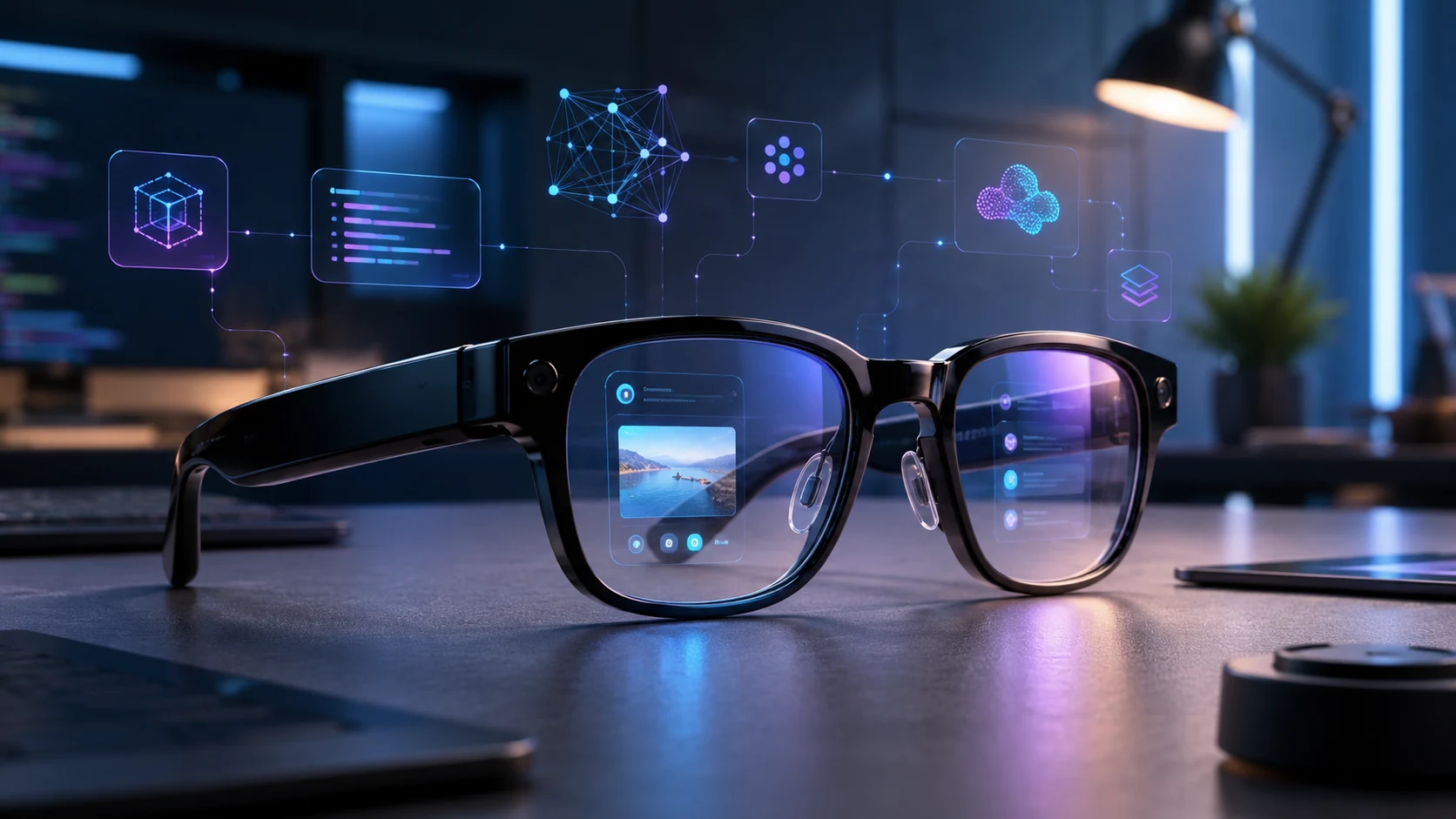
Meta Ray-Ban Display is stepping into a bigger phase of the wearable tech race, and this time the spotlight is not only on the glasses themselves. The bigger story is that Meta is opening the door for developers to build experiences for its display-powered smart glasses, turning the device from a flashy AI gadget into a potential platform. That shift matters because smart glasses have spent years being treated like experimental accessories, not everyday devices with their own app ecosystem. Now, with developer access, gesture controls, and a tiny in-lens screen, Meta is trying to make the glasses feel less like a concept demo and more like the next personal computing layer. For readers tracking the future of wearables, Meta Ray-Ban Display could become one of the most important signals that AI gadgets are moving beyond voice commands and camera tricks.
The timing feels intentional because the gadget world is looking for the next breakout device after years of smartphones becoming more predictable. Phones are still powerful, laptops are getting smarter, and earbuds already have their lane, but smart glasses remain the one category that could change how people interact with digital information in public. Meta has been building toward this moment through its Ray-Ban partnership, AI assistant features, hands-free capture tools, and neural wristband controls. Opening the display experience to developers suggests the company knows hardware alone will not be enough to make smart glasses mainstream. The real test is whether useful apps, lightweight interfaces, and natural controls can make people reach for glasses instead of constantly pulling out their phones.
Meta Ray-Ban Display Becomes a Developer Platform
The most important update is simple on the surface but huge underneath: developers can now start building for Meta Ray-Ban Display. That means the glasses are no longer limited to the experiences Meta ships directly, because third-party developers can begin experimenting with display-based interactions. The developer preview gives app makers a way to extend mobile apps or create web-based experiences designed for the small screen inside the glasses. This is a major step because display glasses need a different design philosophy from phones, watches, tablets, or headsets. Developers cannot just shrink a phone app and expect it to work, because the best smart glasses experiences need to be quick, glanceable, private, and controlled with minimal friction.
For Meta, this is also a strategic platform move. The company does not want its smart glasses to be seen only as camera glasses or AI assistant hardware. It wants them to become a new surface where communication, navigation, productivity, entertainment, and contextual information can live naturally. That requires developers who can build use cases Meta might never prioritize on its own. Fitness apps could show pacing cues, travel apps could display subtle directions, productivity apps could surface reminders, and creator tools could make filming hands-free content more practical. Once developers enter the picture, the product story changes from “what can these glasses do today?” to “what could this category become next?”
Why the Developer Preview Matters
A developer preview may sound technical, but its impact is easy to understand. It is the early bridge between a product and an ecosystem. When a device gets developer tools, it gives builders a reason to imagine new workflows, test new interfaces, and create features that make the hardware more valuable over time. That is how smartphones became more than phones, how smartwatches became fitness and health companions, and how tablets found their place in work, art, and entertainment. For smart glasses, the developer preview could be the moment when the category starts moving from novelty to utility.
This matters even more because smart glasses have a history of overpromising and underdelivering. Previous attempts often failed because they were too bulky, too socially awkward, too expensive, too limited, or too unclear in purpose. Meta’s approach is different because it is using a familiar Ray-Ban design language while slowly adding AI, display, and gesture features instead of forcing a heavy mixed reality headset onto people’s faces. The developer preview adds another layer to that strategy by letting software innovation catch up with hardware ambition. If developers can create small but genuinely useful moments, the glasses may start to feel less like futuristic eyewear and more like a practical daily companion.
The In-Lens Display Changes the Smart Glasses Story
The display is the reason this device feels different from earlier camera-first smart glasses. A voice assistant can answer questions, but a display can show context, confirm actions, guide movement, and reduce the need to look at a phone. That may sound minor, but it changes the entire interaction model. When information appears in the lens, users can check messages, directions, prompts, or visual cues without fully breaking their attention from the real world. This is the space where smart glasses can become useful without trying to replace smartphones overnight.
The key challenge is restraint. A tiny display in a pair of glasses cannot become a noisy notification billboard, because that would feel distracting and uncomfortable fast. The best experiences will likely be the ones that appear only when needed, stay visible briefly, and disappear before they interrupt the moment. Developers will need to think in terms of micro-interactions instead of full-screen sessions. That design shift could create a new kind of app culture, where the goal is not longer screen time but smarter timing.
Meta Neural Band Makes Input Feel More Natural
The other big piece of the puzzle is Meta Neural Band, the wrist-worn controller designed to read subtle muscle signals and turn them into commands. This matters because input has always been one of the hardest problems for smart glasses. Voice is useful, but not every situation is comfortable for speaking out loud. Touch controls on the frame are possible, but they can feel awkward, limited, or too obvious in public. Gesture-based input through a wristband gives Meta a way to make control feel more discreet, more personal, and more futuristic without requiring users to wave their hands dramatically.
For developers, this creates a fresh design opportunity. Instead of building only around taps, swipes, and voice commands, they can think about small gestures that trigger quick actions. A messaging app might let users select a short reply. A navigation app might allow users to dismiss a prompt without touching their glasses. A media app might let someone pause audio or save a moment with minimal movement. The more natural the input becomes, the more likely users are to accept smart glasses as something they can wear outside without feeling like they are performing technology in public.
Virtual Writing Points to a New Interface Era
One of the most interesting parts of the latest update is the expansion of virtual writing through hand gestures. This feature pushes smart glasses closer to a world where users can type or respond without pulling out a phone, opening a keyboard, or speaking in public. The idea sounds futuristic, but it addresses a very practical problem: text input is still essential, even in an AI-first interface. Voice can handle many tasks, but written input is more private, more precise, and often more socially acceptable. If virtual writing becomes reliable enough, it could become one of the features that makes display glasses feel genuinely independent.
The impact could be bigger than messaging alone. Virtual writing might eventually support note-taking, search prompts, form inputs, quick labels, translation corrections, or short productivity commands. That does not mean people will write full essays in the air while wearing glasses, because comfort and speed still matter. Instead, the most realistic use case is short, intentional text entry when a phone is inconvenient. In that sense, virtual writing is less about replacing keyboards and more about making glasses usable in moments when traditional input disappears.
What Developers Can Actually Build
The developer preview gives builders two broad paths: extending existing mobile apps or creating web app experiences for the glasses. This is important because it lowers the barrier to entry. Developers do not need to start from zero if they already have mobile services that could benefit from glanceable information. A travel app, for example, could turn booking details into discreet reminders. A fitness app could show pace or interval updates. A creator app could help users frame, record, or manage content without constantly checking a phone screen.
Web app support could be especially important for fast experimentation. Web developers already understand HTML, CSS, and JavaScript, so they can prototype ideas without waiting for a mature native app economy. That could speed up the early creative phase, where no one fully knows what the killer use case will be. Some ideas will probably feel awkward, but that is normal for new platforms. The most useful smart glasses apps may come from small experiments that solve everyday annoyances rather than giant apps trying to recreate the smartphone experience.
Why This Could Matter for Everyday Users
For everyday users, developer access does not instantly change everything overnight. The first wave of apps will likely feel experimental, limited, and uneven. Still, the long-term impact could be huge because software determines whether a gadget becomes part of daily life or stays in a drawer. If developers build experiences that save time, reduce phone checking, and make information easier to access, users may begin to understand why display glasses exist. The product becomes more compelling when it helps with real moments instead of only showing off futuristic technology.
Imagine walking through a city and seeing turn-by-turn directions without staring down at a screen. Imagine receiving a private reminder before a meeting without your phone buzzing across the table. Imagine capturing a short video while still being present in the scene. Imagine checking a recipe step, a translation, or a quick message while your hands are busy. These are not massive sci-fi moments, but they are exactly the kind of small conveniences that can make a wearable device feel sticky.
The AI Glasses Race Is Getting More Serious
The move also signals that the AI glasses race is becoming more competitive. Meta is not the only company interested in putting intelligence closer to the user’s eyes, ears, and real-world context. The industry is moving toward devices that understand surroundings, respond conversationally, and provide information without requiring a traditional screen. Smart glasses sit at the center of that trend because they combine cameras, audio, display, AI, and sensors in a form people already understand. The hard part is making the package useful, stylish, affordable, and socially acceptable at the same time.
Meta’s advantage is that it has already built public familiarity through Ray-Ban Meta glasses before pushing deeper into display-based wearables. That gives the company a more gradual path than launching an intimidating augmented reality headset and asking the public to adapt immediately. The Ray-Ban design makes the product feel closer to fashion and lifestyle, while Meta’s AI and developer tools push it toward computing. This hybrid identity could be powerful if handled carefully. If the glasses look normal enough to wear and become useful enough to justify charging, Meta may have a stronger position than competitors chasing more futuristic but less wearable designs.
The App Store Problem for Smart Glasses
Every new computing platform eventually faces the same question: what is the app ecosystem supposed to look like? Smartphones solved that through app stores, touchscreens, and full-screen experiences. Smartwatches solved part of it by focusing on notifications, health, fitness, and quick actions. Smart glasses have a tougher challenge because they need to be useful without overwhelming the user’s view. A glasses app cannot behave like a phone app, because the display is smaller, attention is more fragile, and social context matters more.
This means developers will need to rethink interface design from the ground up. The best apps may feel almost invisible, showing only the information that matters at the exact moment it is needed. A delivery worker might need route prompts, a traveler might need translation cues, a student might need quick reminders, and a creator might need framing feedback. None of those require giant menus or long scrolling sessions. They require precise, contextual, and respectful design that understands the user is still living in the physical world.
Privacy Will Shape Public Trust
No smart glasses conversation is complete without privacy. A device with a camera, microphone, AI assistant, display, and developer access needs strong trust signals if it wants mainstream acceptance. People around the user need to understand when recording is happening, and users need clear control over what data is captured, processed, and shared. Meta has leaned on visible capture indicators and product-level privacy messaging, but developer expansion makes the topic even more important. The more apps enter the ecosystem, the more carefully Meta needs to manage permissions, transparency, and user expectations.
Privacy could become a deciding factor in whether smart glasses feel normal or uncomfortable in public spaces. If people believe the glasses are always recording or analyzing everything around them, adoption could slow quickly. If the experience feels controlled, clear, and respectful, users may become more comfortable wearing them in daily settings. Developers also carry responsibility here because bad app behavior could damage trust across the entire category. For smart glasses to work, the technology needs to feel helpful without making the world around the wearer feel watched.
The Design Challenge Is Bigger Than Hardware
It is easy to focus on the hardware because the glasses are the visible part of the story. The frame, camera, display, battery life, audio quality, and wristband all matter. But the deeper challenge is experience design. A wearable can have impressive specs and still fail if the interactions feel clumsy, distracting, or unnecessary. That is why the developer preview matters so much: it opens the door for new ideas, but it also raises the quality bar for what belongs on someone’s face.
Developers will need to design for speed, privacy, minimalism, and context. They need to ask whether a feature is truly better on glasses than on a phone. If the answer is no, the feature probably should not exist on the glasses. If the answer is yes, the experience has to be simple enough to work in seconds. The best apps will not fight for attention; they will reduce friction and disappear when their job is done.
Practical Insight for Gadget Buyers
For gadget buyers, the developer opening is a reason to watch Meta Ray-Ban Display more closely, but not necessarily a reason to rush blindly. Early platform moments are exciting because they can lead to rapid software growth, but they can also feel incomplete while developers learn what works. Anyone interested in the glasses should think about their real use cases first. If hands-free messaging, navigation, content capture, live AI help, and discreet notifications already sound useful, the product has a clearer value. If those features feel optional, it may be smarter to wait and see how the app ecosystem evolves.
The biggest practical question is whether the glasses can reduce phone dependency in meaningful ways. A good wearable should not add another layer of digital noise. It should make certain tasks easier, faster, or less disruptive. If Meta and developers can deliver that, display glasses may become more than a premium accessory. They could become a quiet productivity and communication tool that blends into daily routines.
What This Means for Creators and Workers
Creators may be among the first groups to understand the appeal of display glasses. Hands-free capture already matters for vloggers, journalists, travelers, reviewers, and social media creators who want to record from a first-person perspective. The display can help with framing, prompts, messages, and quick sharing actions. Developer tools could expand that into more specialized creator workflows, such as shot lists, live captions, teleprompter-style cues, or real-time publishing controls. For people who already create content on the move, the glasses could become a lighter alternative to pulling out a phone every few minutes.
Workers could also benefit if enterprise-friendly apps emerge. Field technicians might see instructions while repairing equipment. Retail workers might receive inventory prompts. Healthcare support staff could use hands-free checklists in controlled environments. Logistics teams could receive route updates or task confirmations. These use cases are not as flashy as consumer demos, but they may prove why display glasses can matter beyond lifestyle tech.
The Bigger Trend: Ambient Computing
The developer preview fits into a bigger movement toward ambient computing. Instead of forcing users to open apps, unlock screens, and search manually, ambient devices try to bring relevant information into the moment. Smart speakers started this shift in the home, earbuds extended it through voice, and watches brought it to the wrist. Smart glasses take the idea further because they sit close to the user’s eyes and understand more of the surrounding world. That makes them powerful, but it also makes them more sensitive from a design and privacy perspective.
In this future, the best gadget may not be the one with the largest screen. It may be the one that gives the right answer with the least interruption. That is why wearable AI is becoming such a major theme across consumer tech. Companies are trying to build devices that feel less like tools you operate and more like companions that assist quietly. Meta’s display glasses are one of the clearest examples of that direction because they combine vision, audio, AI, gesture input, and developer creativity into one wearable system.
The Risks Meta Still Needs to Solve
Even with developer access, Meta still faces real risks. Battery life needs to support meaningful use without making the glasses heavy. The display needs to be bright and useful without becoming distracting. Gesture controls need to feel accurate enough that users trust them in public. App experiences need to feel polished, not experimental forever. Most importantly, Meta needs to convince people that smart glasses are not just cool, but genuinely worth wearing daily.
There is also the issue of platform control. Developers will want clear rules, stable tools, useful documentation, and a path to real users. If the ecosystem feels too restricted, innovation may slow. If it feels too open without enough quality control, bad experiences could hurt the product. Meta has to balance experimentation with consistency, especially because users will judge the glasses as one complete experience rather than separating hardware flaws from app flaws.
Could This Be the Smartphone’s Next Companion?
The most realistic short-term future is not that Meta Ray-Ban Display replaces the smartphone. The more likely future is that it becomes a smarter companion for moments when a phone feels inconvenient. That includes walking, commuting, cooking, filming, shopping, traveling, working with both hands, or checking quick information without breaking focus. In those moments, a small in-lens display can feel more natural than unlocking a six-inch screen. The phone remains the main computer, but the glasses become the front line for fast context.
This companion role is important because it makes the product easier to understand. People do not need to imagine abandoning their phones to see why smart glasses could be useful. They only need to imagine using their phones less often during specific tasks. That is a much more believable path to adoption. If developers build around that reality, the ecosystem could grow in a practical way instead of chasing unrealistic replacement narratives.
Conclusion: Meta Is Building the Smart Glasses Moment
Meta Ray-Ban Display opening up to developers is one of the clearest signs that smart glasses are moving into a more serious phase. The device is no longer just about stylish frames, AI responses, hands-free video, or a futuristic in-lens screen. It is becoming a platform where developers can test what wearable computing should actually feel like in daily life. That shift could unlock new ideas in navigation, messaging, creator tools, productivity, accessibility, travel, and real-world assistance. The result may not be instant mainstream adoption, but it gives the category something it has always needed: a broader software imagination.
The future of display glasses will depend on whether Meta and developers can make the experience feel useful without becoming intrusive. The winning apps will be fast, discreet, contextual, and respectful of the user’s attention. The winning hardware will need to feel comfortable enough for real life, not just impressive in demos. If those pieces come together, Meta Ray-Ban Display could become a major step toward the next era of wearable AI. For now, the developer preview is a signal that the smart glasses race is no longer just about who makes the coolest gadget, but who builds the most useful ecosystem around it.